Free extension for Visual Studio Code
AL Structure
Explorer.
Explore Business Central AL objects in local .app packages. Jump from their structure to the corresponding AL source.

Local packages.
Clear structure.
Direct navigation.
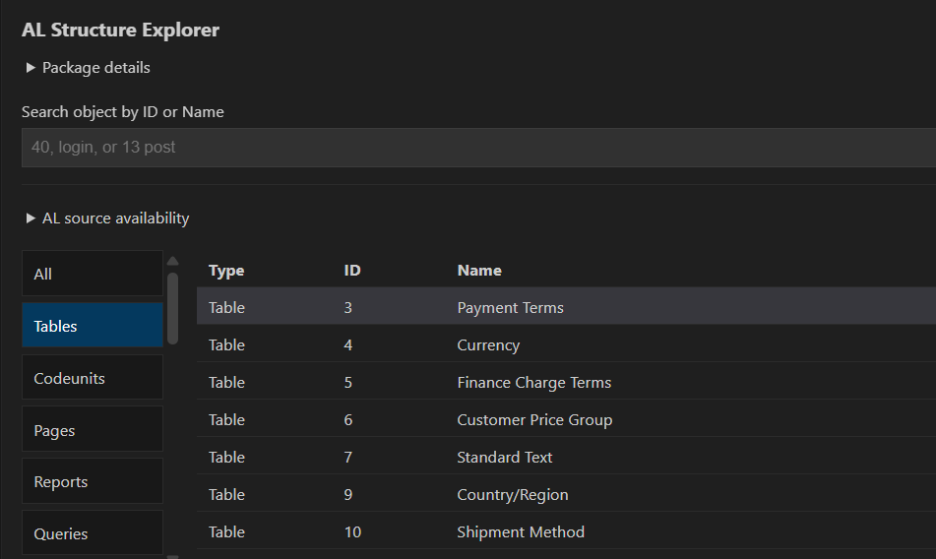
01 / Object catalog
See what’s inside the package.
View application name, publisher, ID and version. Search and filter objects by type, ID and name.
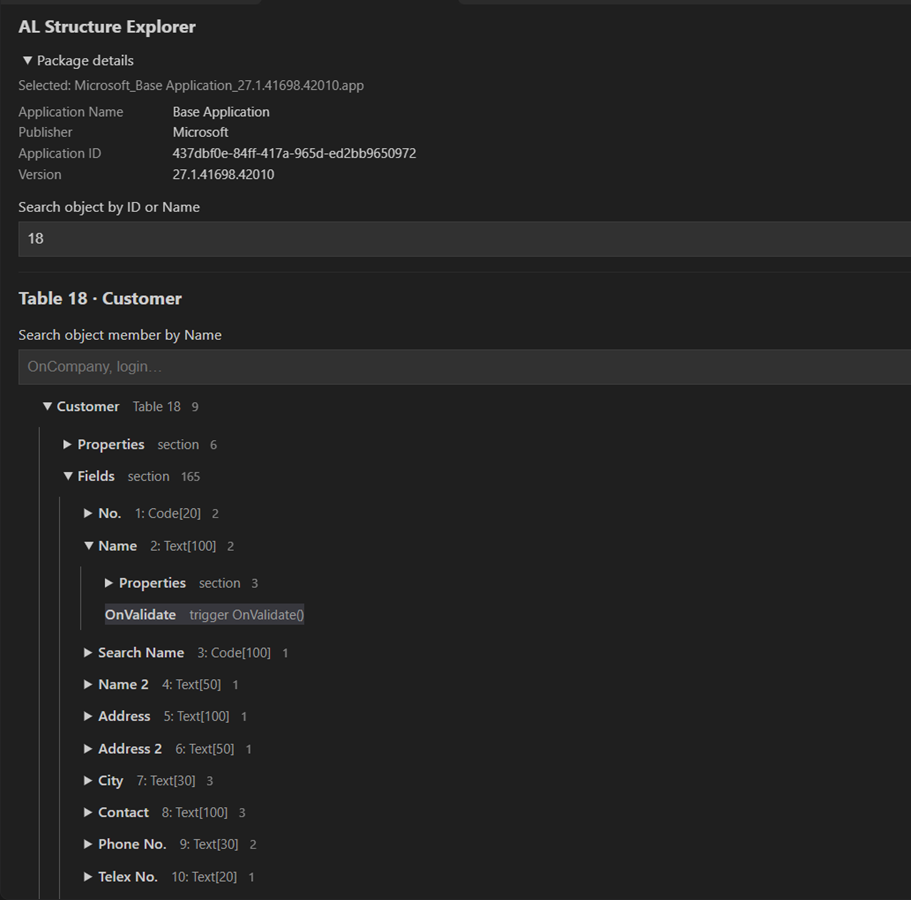
02 / Structure tree
Navigate the details.
Explore declarations, parameters, variables and labels with their owners. Find the element you need in the structure tree.
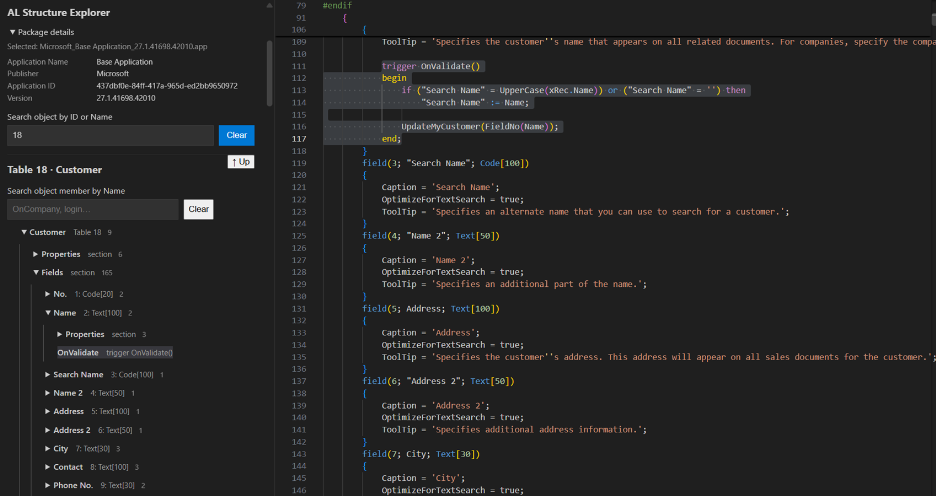
03 / Source navigation
From structure to source.
Open highlighted AL source at the corresponding declaration. Inspect available-source information, skipped-source reasons and package diagnostics.
Supported declarations
Objects and extensions.
Codeunit, Table, Page, Report, Query, XMLport, Enum, Interface, TableExtension, PageExtension, ReportExtension, EnumExtension and PageCustomization.
Also includes PermissionSet, Profile, ControlAddIn, Entitlement, DotNet Package, PermissionSetExtension and ProfileExtension.
Depending on object type, explore fields, keys, controls, actions, data items, layouts, properties, procedures, triggers and events.
See it in action
A closer look at the workflow.
Watch the AL Structure Explorer demonstration on YouTube.
▶ Watch the demo ↗Runs with its own .NET worker and a separately installed compatible Microsoft AL backend. No AI service or database is required.