Microsoft Dynamics 365 Business Central
Dynamic
Emails.
Create once. Personalise with your data. Reuse across your business.
A topic-driven email orchestration and merge engine with dynamic templates, generated merge fields, preview tools and source-data testing.
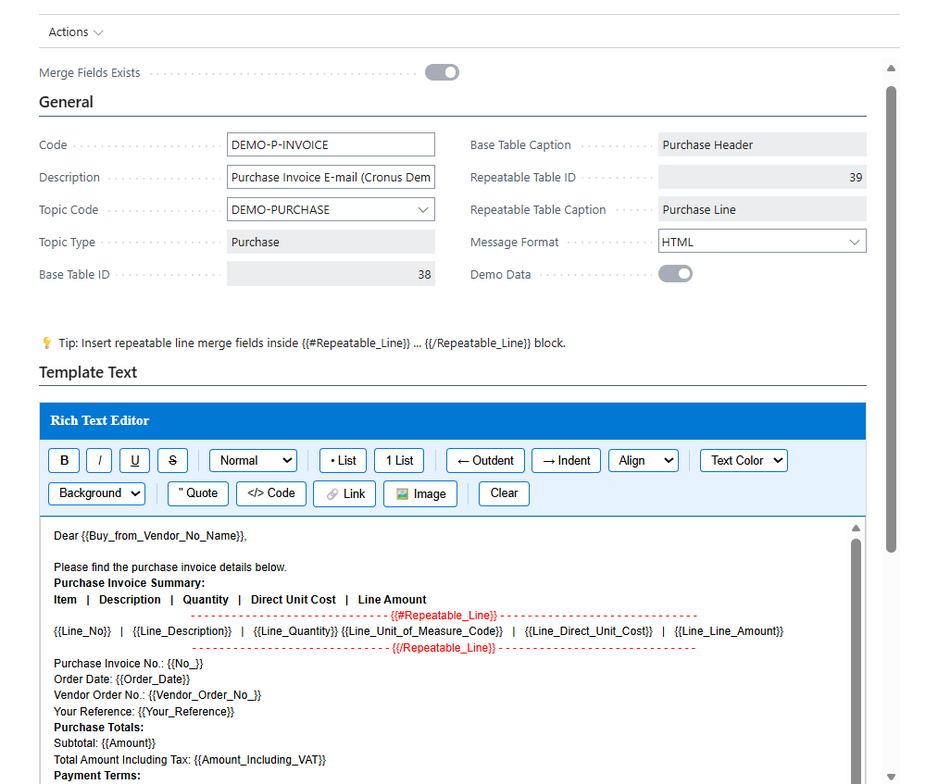
01 / Template management
Build a repeatable communication flow.
Organise templates by business topic. Manage content, merge fields, attachments, preview and testing in one place.
Data-driven templates
Generate merge fields from base records, related tables, repeatable line tables and selected system or setup tables.
Repeatable sections
Include document lines, item lists and structured repeating content in HTML-based emails.
Maintain in Business Central
Create and maintain new templates without code changes or app redeployment. Use linked attachments and document-related files.
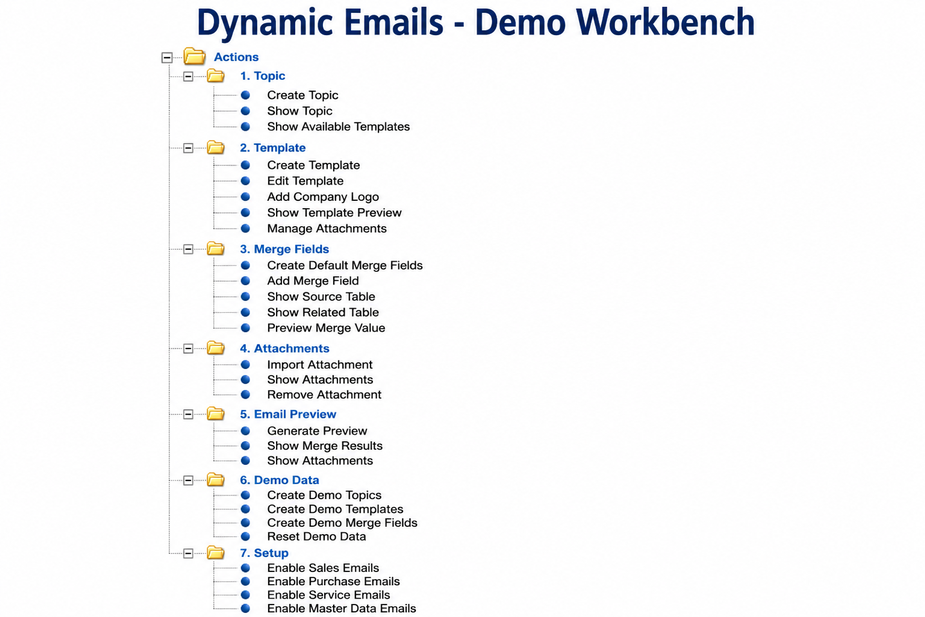
02 / Merge workbench
Test the complete scenario.
Follow the merge process from a source record to the final email output. Test against real business records before using a template in your workflow.
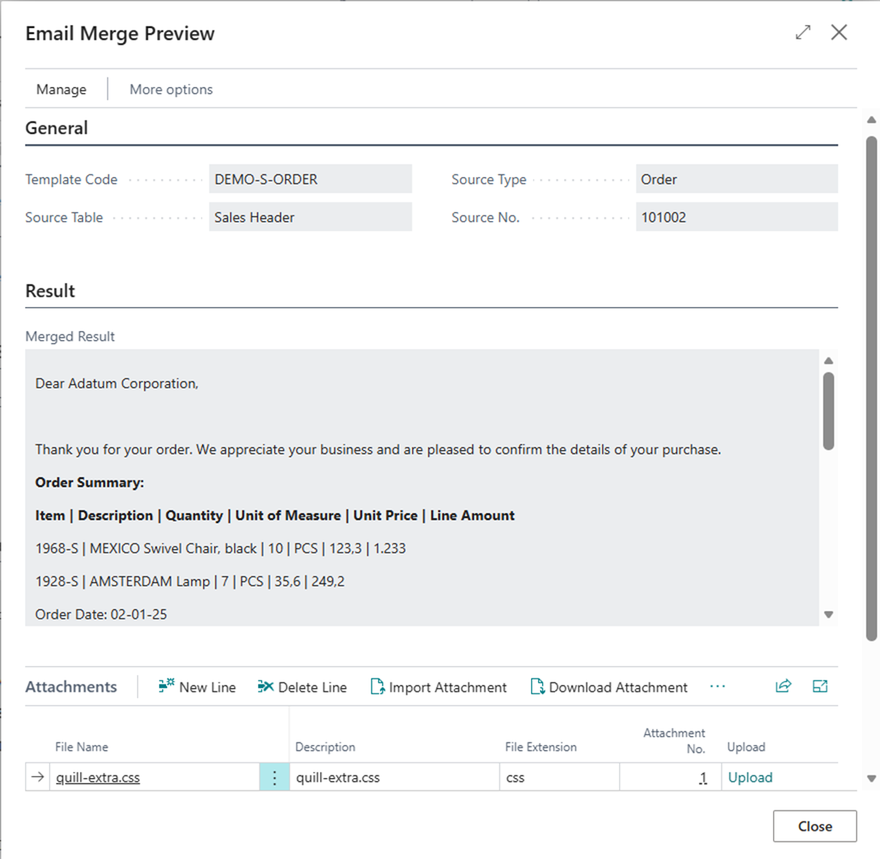
03 / Resolved-field preview
See the result before sending.
Inspect resolved merge fields and generated content before opening the email in Business Central’s standard Email Editor.
Extensibility
One engine.
Many business topics.
The modular topic-based architecture includes scenarios for Sales, Purchase, Customer, Vendor, Contact, Service and business workflows.
Custom topics, templates and merge-field scenarios for customer-specific Business Central tables can be implemented on request — including industry-specific tables, custom modules and vertical solutions.
Support for Service Contracts, Jobs, Manufacturing Orders, Warehouse Documents and additional user-defined topics may be added in future versions.
Why Dynamic Emails?
More control over business email.
A flexible, template-driven approach to email generation and document communication.
Business-user independence
Manage email content through configurable templates and merge fields, reducing the need for report design, hard-coded email logic or development for every new scenario.
Personalised, structured content
Combine fields from related records with repeatable line sections for detailed, document-style emails.
Preview and validate
Resolve merge values against real source data before sending, helping identify template and data issues earlier.
Consistent workflows
Use one reusable engine across Sales, Purchase, Service and master-data scenarios.
Multilingual deployments
Support Business Central localisation and deployments in EN, NL, DE, FR, ES and other languages.
Centralised administration
Keep topics, templates, merge fields, attachments and settings together for easier maintenance.
Flexible rendering and delivery
Use lightweight HTML-based rendering while keeping the familiar standard Business Central Email Editor and sending workflow.
Video demonstrations
See Dynamic Emails in action.
Two demonstrations from the existing site: template creation and the merge workbench.
Your communication workflow
Need a custom email scenario?
Discuss topics, templates and Business Central integration for your business.
Get in touch ↗